Workspace Ergonomics: Small Changes, Big Difference
How to set monitor height, elbows, wrists and the surface under your mouse so eight hours at a desk don't end in back or wrist pain. Five rules to apply today.
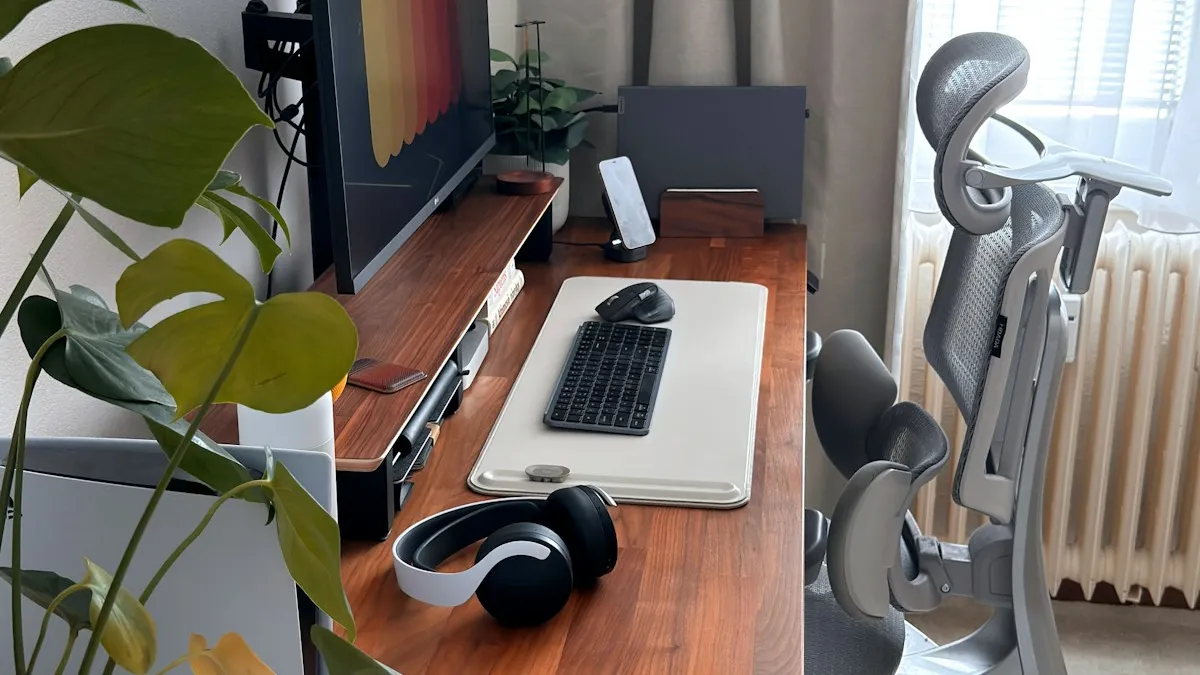
Why Ergonomics Matter
Most of us spend eight or more hours a day at a desk. Poor workspace setup leads to back pain, neck tension, and wrist fatigue. Yet a few simple adjustments can dramatically improve your comfort.
Ergonomics isn’t just about expensive chairs. It’s about thoughtfully arranging the things you already have.
The Fundamentals
Follow these five principles and your body will thank you:
- Monitor at eye level - the top edge of your screen should be roughly at eye height. Use a stand or a stack of books.
- Elbows at 90 degrees - your forearms should be parallel to the floor when typing.
- Feet flat on the floor - full soles on the ground, knees at a 90-degree angle.
- Wrists in neutral position - don’t bend your wrists up or down when using the mouse.
- Frequent breaks - stand, stretch, or walk every 30–45 minutes.
“The best posture is the next one. Movement is the key to long-term health at a desk.”
Your Desk Surface and Mouse Pad
The material under your mouse has a surprisingly big impact on comfort. Hard plastic pads can irritate the skin on your wrist. Overly soft pads make precise movements difficult.
A leather pad offers the ideal middle ground:
- Natural surface - the gentle grain of leather feels pleasant and doesn’t irritate skin.
- Stability - leather won’t slide across your desk and provides consistent resistance.
- Thermal comfort - leather quickly adapts to the temperature of your hands, unlike cold plastic.
Desk Organization
A clean desk supports a clear mind. A few tips:
- Keep your most-used items within arm’s reach.
- Route cables to one side of the desk.
- Leave open space around your keyboard and mouse - your hands need room to move.
- Invest in one or two quality accessories instead of many cheap ones. Fewer items on the desk means less visual noise.
Start Small
You don’t need to overhaul your entire setup at once. Begin with one change - maybe raising your monitor or upgrading your mouse pad. Notice how you feel after a week, then add more improvements gradually. Your body and productivity will thank you.
Frequently asked questions
How high should my monitor be? The top edge of the screen should sit roughly at eye level. On a laptop, use a stand or an external monitor – otherwise you spend the day leaning forward and loading your neck.
Does a mouse pad affect wrist pain? Yes. Hard plastic or cold glass irritates the skin and pushes the wrist into an awkward angle. A surface with slight resistance and a pleasant temperature, like leather, lets the wrist stay neutral and reduces fatigue.
How often should I take breaks when working at a computer? Stand up, stretch or walk every 30–45 minutes. Short frequent breaks work better than one long one – the best posture is always the next one.
Where should I start with an ergonomic desk setup? With one change, not a full overhaul. Raising the monitor to eye level or improving the surface your mouse moves on usually helps most. Review after a week, then add the next adjustment.
Want to understand why leather is a great choice for your desk? Read why natural materials make a difference, or see how leather compares to other materials in our mouse pad material comparison.
A quality desk surface makes a real difference. Discover our handcrafted leather desk mat - designed for comfort and built to last.