Best Desk Accessories for Remote Workers in 2026
A desk pad, monitor stand, keyboard, lighting and one personal touch: the home office accessories that actually matter, and the order to buy them in.
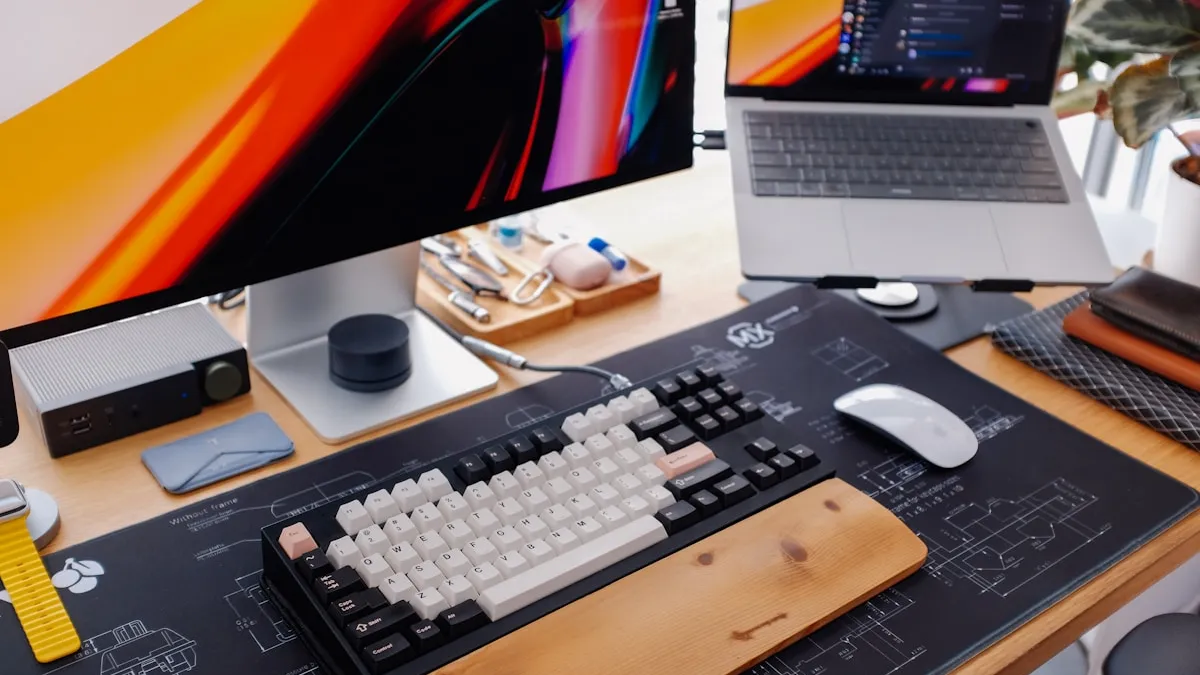
Your Home Office Deserves Intention
Working from home means your desk isn’t just a piece of furniture - it’s your studio, your office, and sometimes your dining table. After years of remote work becoming the norm, most people have figured out the basics: a decent chair, a laptop, maybe an external monitor.
But the difference between a desk that merely functions and one that actually supports good work often comes down to a handful of well-chosen accessories. Not more things - better things.
A Desk Pad or Mouse Pad
This is the surface you touch more than anything else at your desk. Your hands rest on it for hours. Your mouse glides across it thousands of times a day. Yet most people use whatever thin rubber pad came free with their last keyboard purchase.
A proper desk pad does three things:
- Protects your desk - scratches, coffee rings, and pen marks land on the pad, not on the wood.
- Improves comfort - a good surface material reduces wrist friction and adapts to your hand temperature.
- Sets the tone - a quality desk pad anchors the entire workspace visually. Everything else looks better around it.
Leather desk pads are particularly well-suited for home offices. They’re warm to the touch, they don’t trap heat the way rubber does, and they actually improve with age. A year from now, a leather pad looks better than it did on day one. A rubber pad just looks older.
“The best desk accessories aren’t the ones you notice - they’re the ones you’d miss the moment they’re gone.”
A Monitor Stand or Arm
If your screen isn’t at eye level, your neck is paying the price. It’s one of the simplest ergonomic fixes, and one of the most commonly ignored.
- Monitor arm - ideal if you want to reclaim desk space and adjust height precisely. Clamp-mounted arms also let you push the screen back when you need the full desk.
- Simple stand or riser - a wooden or metal stand works just as well if you don’t need adjustability. Even a stack of hardcover books will do in a pinch.
The key is getting the top edge of your screen roughly at eye level. Your neck should be neutral, not tilted. For a deeper look at desk ergonomics, see our guide on workspace ergonomics and posture.
A Keyboard You Actually Enjoy
Your keyboard is the second most-touched object on your desk, right after your mouse pad. If you’re still using a flimsy membrane keyboard, upgrading makes a noticeable difference.
- Mechanical keyboards - satisfying feel, customizable key switches, and built to last years. They’re louder, but many switches now offer a quiet option.
- Low-profile keyboards - a good middle ground between the flat feel of a laptop keyboard and the height of a full mechanical.
What matters most isn’t the brand or the price - it’s whether the keyboard fits your hand size and typing style. If possible, try before you buy.
Good Lighting
Bad lighting causes eye strain faster than a bad monitor. A single overhead light casting shadows across your desk is the most common home office mistake.
- Desk lamp with adjustable color temperature - warm light for the evening, cool white for focused work during the day.
- Position it to the side - light coming from behind your monitor reduces glare. Light from directly above creates shadows from your hands.
- Bias lighting - a simple LED strip behind your monitor reduces the contrast between the bright screen and the dark wall behind it. Your eyes will thank you.
One Personal Touch
This is the one most productivity guides skip, but it matters. A desk that feels sterile doesn’t inspire good work. One or two personal items bring warmth without creating clutter.
- A small plant - a pothos or succulent adds life and softens the look of all that tech.
- A meaningful object - a ceramic mug, a photograph, a piece of art. Something that reminds you this is your space.
The key word here is one. Minimalism isn’t about having nothing - it’s about keeping only what earns its place.
Start With the Surface
If you’re going to upgrade one thing on your desk today, make it the surface under your hands. It’s the accessory you interact with most, and a good one quietly improves everything from comfort to aesthetics.
Frequently asked questions
What is the first desk accessory to buy for a home office? The surface under your hands. A good desk pad protects the desk, improves mouse glide and reduces wrist friction, and you touch it more than anything else. Raising your screen to eye level comes next.
What size desk pad should I get? To cover both keyboard and mouse, choose a large pad around 80 × 45 cm. For the mouse alone or a small desk, 25 × 25 cm is enough.
Is an external keyboard and mouse worth it with a laptop? For full-day work, yes. A keyboard with proper key travel is easier on the wrists, and an ergonomic or vertical mouse reduces forearm strain. Wireless versions also remove cables from the desk.
What lighting is best for a computer desk? A desk lamp with adjustable colour temperature positioned to the side, combined with ambient room light. A monitor light bar saves desk space, and bias lighting behind the screen reduces eye strain.
Want to learn more about setting up a workspace that supports your body? Read our guide on workspace ergonomics.
Ready to upgrade your desk surface? See the Deskhide leather desk mat - handcrafted from full-grain leather, designed for people who work from home every day.